Broken things on a page are quiet. A button still pointing at the example URL it came with, a link to a page you deleted, an empty folder, a countdown that finished last month: none of it looks broken to you, and all of it costs you clicks.
Page health now checks for that automatically. You get a score out of 100 on your dashboard with the issues worth fixing listed under it, and every finding links straight to the thing that needs attention.
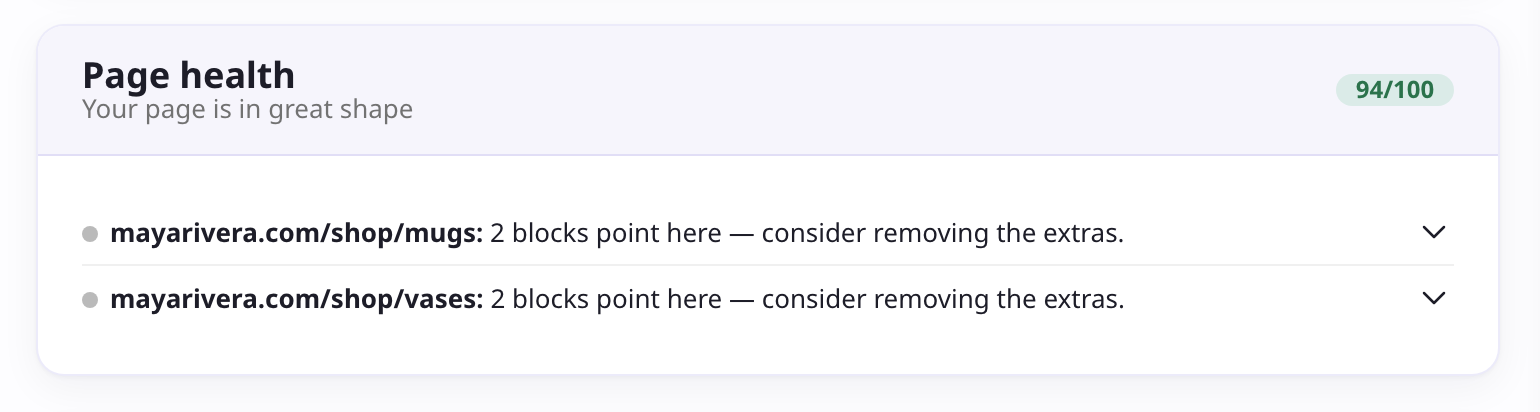
It looks for things like:
- Placeholder targets still pointing at example URLs, or image and file buttons with nothing uploaded to them.
- Dead destinations, including buttons aimed at a page you have since deleted.
- Duplicate links, where several blocks send people to the same place.
- Empty folders and countdowns that already ended.
- Social icons with no destination, or a bare handle where a full URL is needed.
- A missing profile photo or bio, and custom domains that failed to connect.
Blocks with a broken target also pick up a badge in the editor, so you can spot them while you work instead of only on the dashboard.
If your page is clean, the widget says so and steps out of the way, sliding below your analytics rather than taking a spot at the top.
See Page health for what each check means and how to clear it.