Most things that go wrong on a profile go wrong quietly. A button still points at the example URL it was created with, a link sends people to a page you deleted, a countdown finished a month ago. None of it looks broken while you are editing, and all of it costs you visitors.
Page health checks for that automatically. You will find it on your dashboard, under Home in the sidebar.
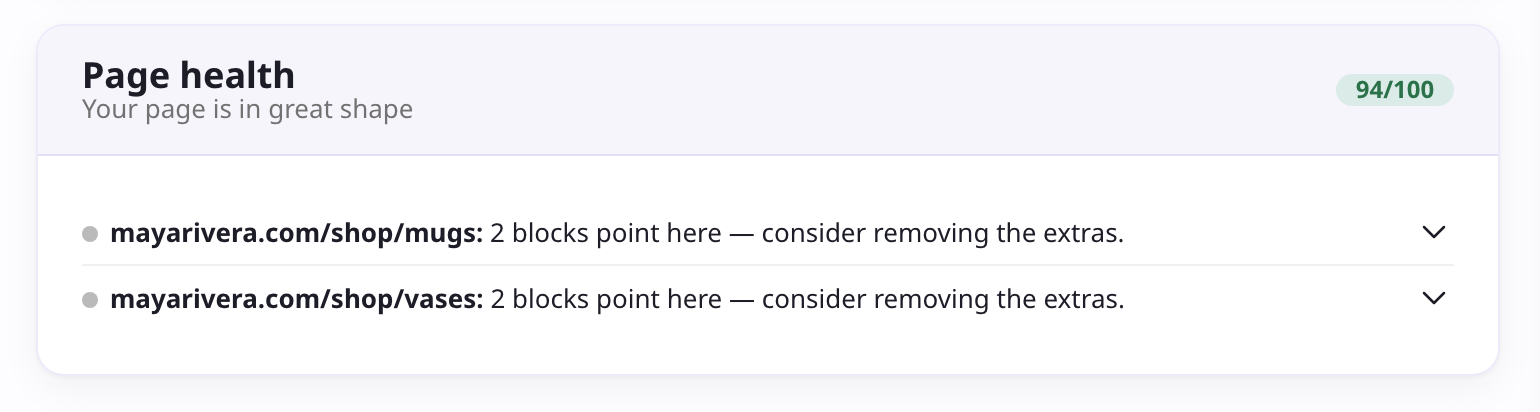
Your score
Page health gives your profile a score out of 100 and a short verdict above it. The score starts at 100 and comes down based on what it finds, weighted by how much each issue is likely to cost you: a broken destination counts for much more than a missing bio.
The score is a summary, not a target. A profile at 94 with two duplicate links is in good shape. What matters is the list underneath.
What it checks
Broken destinations
- Buttons still pointing at the placeholder URL they were created with.
- Image and file buttons with nothing uploaded to them.
- Buttons aimed at one of your pages that you have since deleted.
- Destinations that are not valid addresses, including email buttons with a malformed address.
- Google Form links copied from the editing view, which visitors cannot open.
Content that was never finished
- Starter blocks left with their example title and description.
- Empty folders with no blocks inside them.
- Countdown blocks whose date has already passed.
Duplicates and links
- Several blocks pointing at the same destination. Tracking parameters are ignored, so two versions of the same link still count as duplicates.
Your header and socials
- A missing profile photo or bio.
- No social icons at all.
- A social icon with no destination, or a bare username where the platform needs a full URL.
Domains
- Custom domains that failed to connect.
Hidden blocks, and blocks inside a hidden folder, are skipped. They are not visible to anyone, so they cannot cost you clicks.
Fixing what it finds
Each issue in the list opens the thing that needs changing. A block issue takes you to that block in the editor; a header, bio, or social icon issue opens the matching editor section; a domain issue takes you to your settings.
Blocks with a broken destination also carry a needs attention badge in the editor, so you can catch them while building rather than only on the dashboard.
Where it appears
Page health sits near the top of your dashboard when it finds something urgent, and drops below your analytics when your page is clean, where it reads as reassurance rather than a to-do list. If your profile is not live yet, you will see the setup checklist instead: Page health takes over once your page is published and breakages start costing you real visitors.